Automatically fill in captcha code in course selection system

JavaScriptProgramming Languages

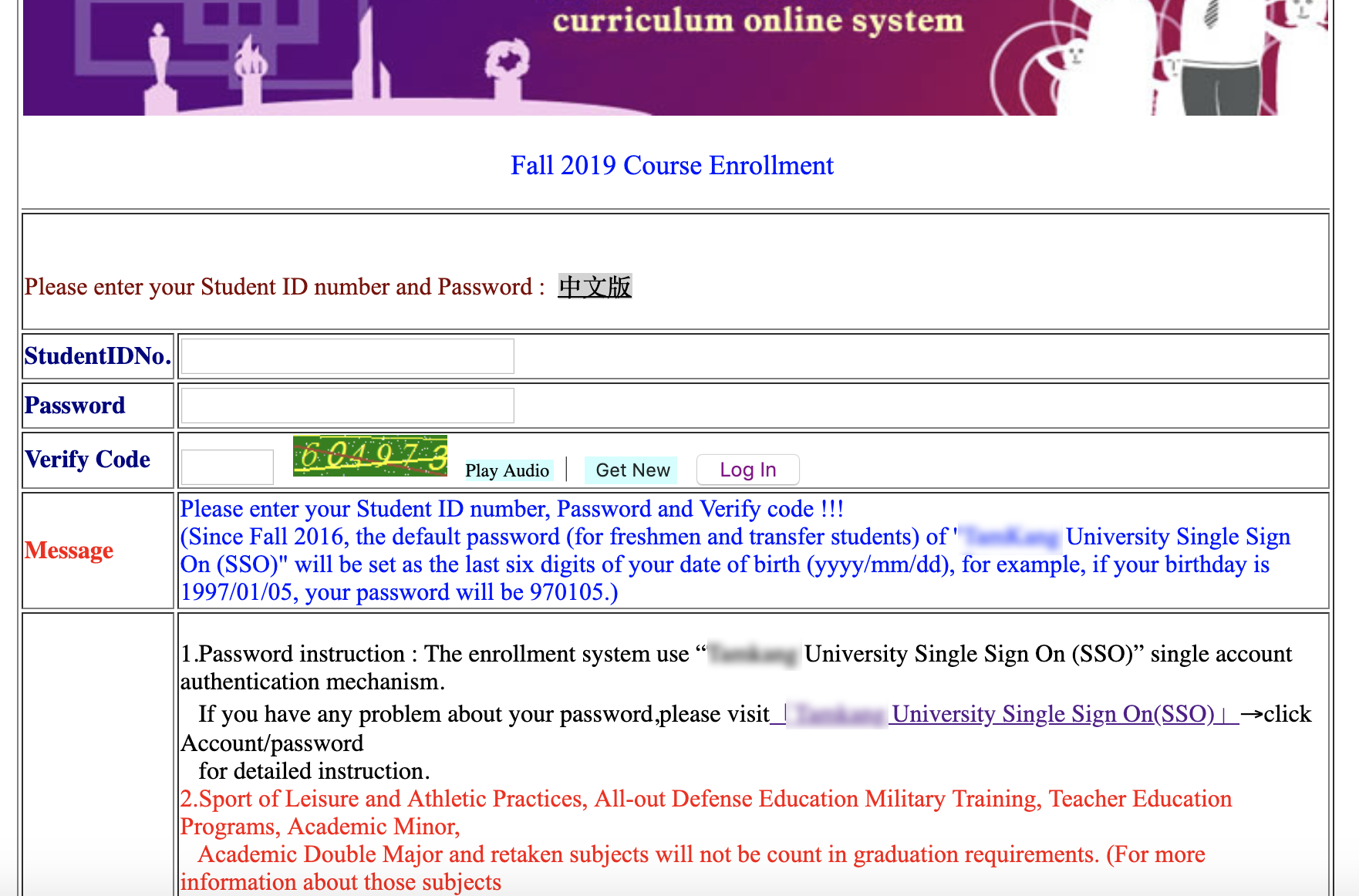
Captcha code is broadly used in different websites to ensure the contents are only accessible by humans rather than bots. The course selection system in my college has also been adopting captcha code in the login page to reduce momentary load of its server. (by slowing down everyone's time to fill in the code and hit log in)

Besides that, the system was kindly designed a "Play Audio" button as well for visually impaired people to "hear" the captcha code. However, it becomes a defect that we can take advantage of the "Play Audio" button function to fill in the captcha code programmatically for us.

Since I have done my last course selection in my college life, I will demonstrate how to fill in the captcha code by exploiting the "Play Audio" button function in below.
Using FFmpeg concatenate multiple videos

ApplicationLinux & Mac

Some cameras split a sigle video into multiple files during recoding due to the limitation of the maximum file size in the file system(E.g. maximum single file size for FAT32 is 4GB). In this post, we will take advantage of FFmpeg to merge back our video fragments into a continuous single video.


To begin with, we put all our video fragments into the same folder and create a new file called clips.txt. Next, we add the filenames of the video fragments into clips.txt in the order we want to concatenate and seperate them by new lines.

An example of clips.txt.

file 'first.mp4'
file 'second.mp4'
...

Last, running the following command will generate the concatenated video named output.mp4 for us:)

ffmpeg -f concat -i clips.txt -c copy output.mp4

Docker Compose file (TensorFlow)

Docker

TensorFlow has supported Docker containers that could save the time from installing lots of stuffs on our operating system and messing around. Besides typing long Docker commands each time in the terminal for launching the container, using Docker Compose file is another easy way to achieve it.

To begin with, create a new file called TensorFlow.yml and paste everything below into that file. Freely to change the path in volumes in accordance with our computer's path.


version: '3.1'

services:

	TernsorFlow:
		container_name: TensorFlow
		image: tensorflow/tensorflow:latest-py3
		restart: unless-stopped
		network_mode: "bridge"
		ports:
			- 6006:6006
		tty: true
		command: /bin/bash
		volumes:
			- /Users/AndyWu/Documents/Docker/TensorFlow:/TensorFlow

 
To create and start a new TensorFlow container from docker compose file, run the command below.

docker-compose -f TensorFlow.yml up -d

Now our newly created container should start running. Execute the bash shell in the container and interact with the pseudo-TTY by providing the options-it.

docker exec -it TensorFlow bash

We are now able to run our TensorFlow codes with python in the container:)

Git rename local and remote branches

GitVersion Control

I have created a new branch mainly for testing some new functions written in other programming language several weeks ago. Due to the developing purpose, I didn't put much effort in naming it.

In recent days, when I was reviewing the repository I found that the name of that branch didn't quite fit its purpose. Therefore I seeked for some ways to rename local branches and remote branches. The ways are shown below.


Renaming Local Branches

git branch -m {the branch intended to rename} {new branch name}

This command should rename a local branch. After hitting it, we should push our modification to the server and remove the branch with old name from the server.

git push origin {new branch name} :{the branch to remove}


Rename Remote Branches

If the branch we would like to rename doesn't exist in our computer but on the server, we should duplicate it and give the copy a desired name.

git branch {new branch name} origin/{the branch intended to rename}

Push our modification to the server. And the new branch with the desired name should appear in the repository.

git push origin {new branch name}

Since the old branch is not used anymore, we remove it from the server.

git push origin :{the branch to remove}


Well done. Now the branches are renamed into the desire names.